1. Log into your personal account.
For woo-commerce, navigate to "My profile", >profile" >vendor dashboard" from the menu. 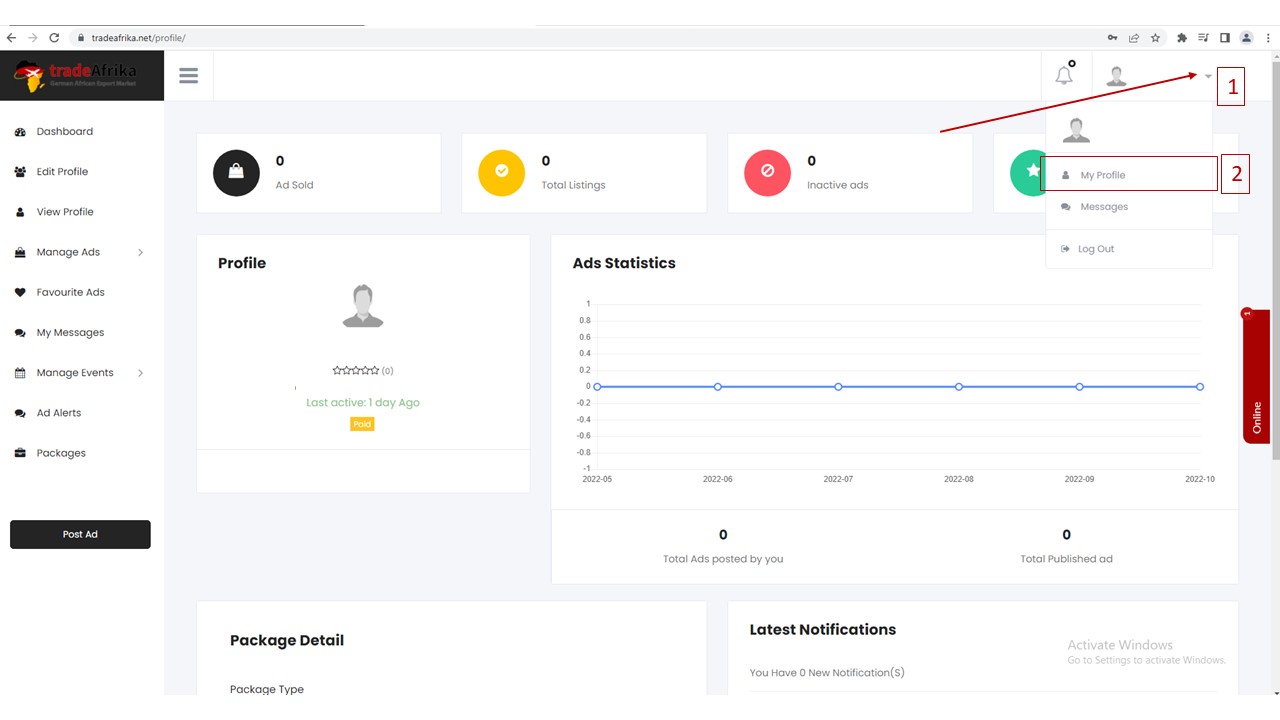
2. Navigate to "Profile" then, "vendor dashboard" from the menu. 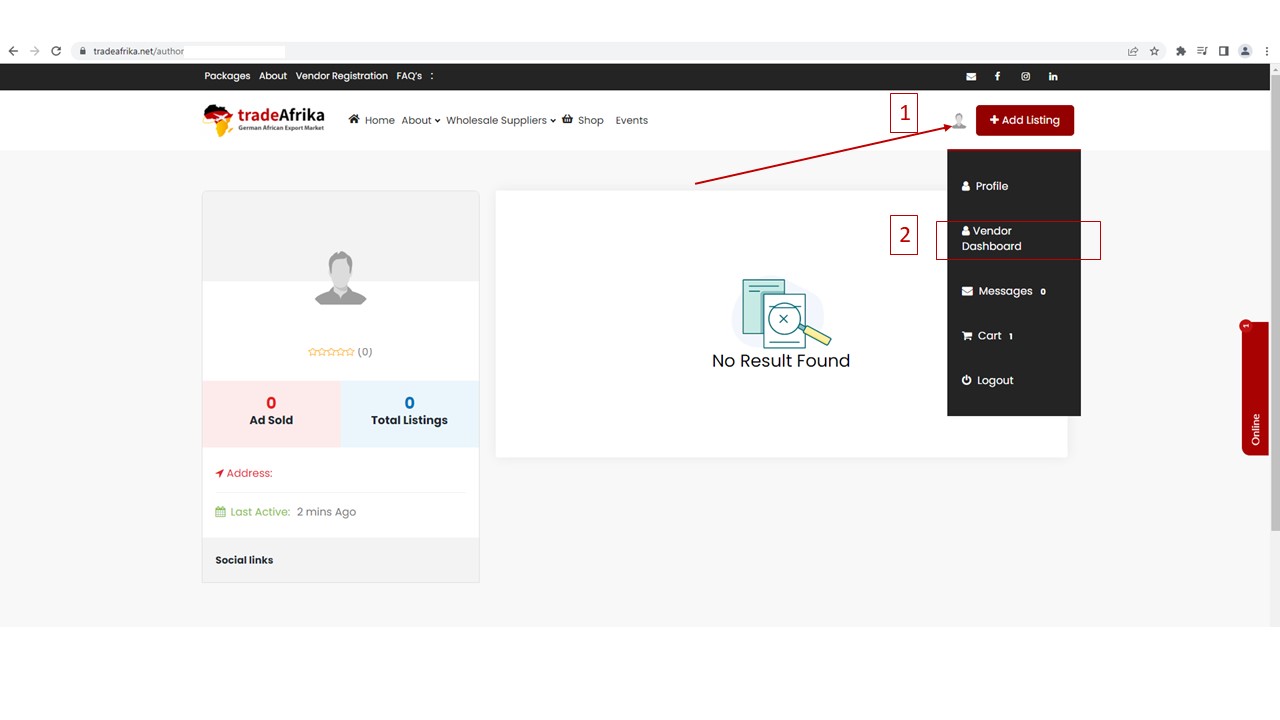
3. Your Vendor dashboard 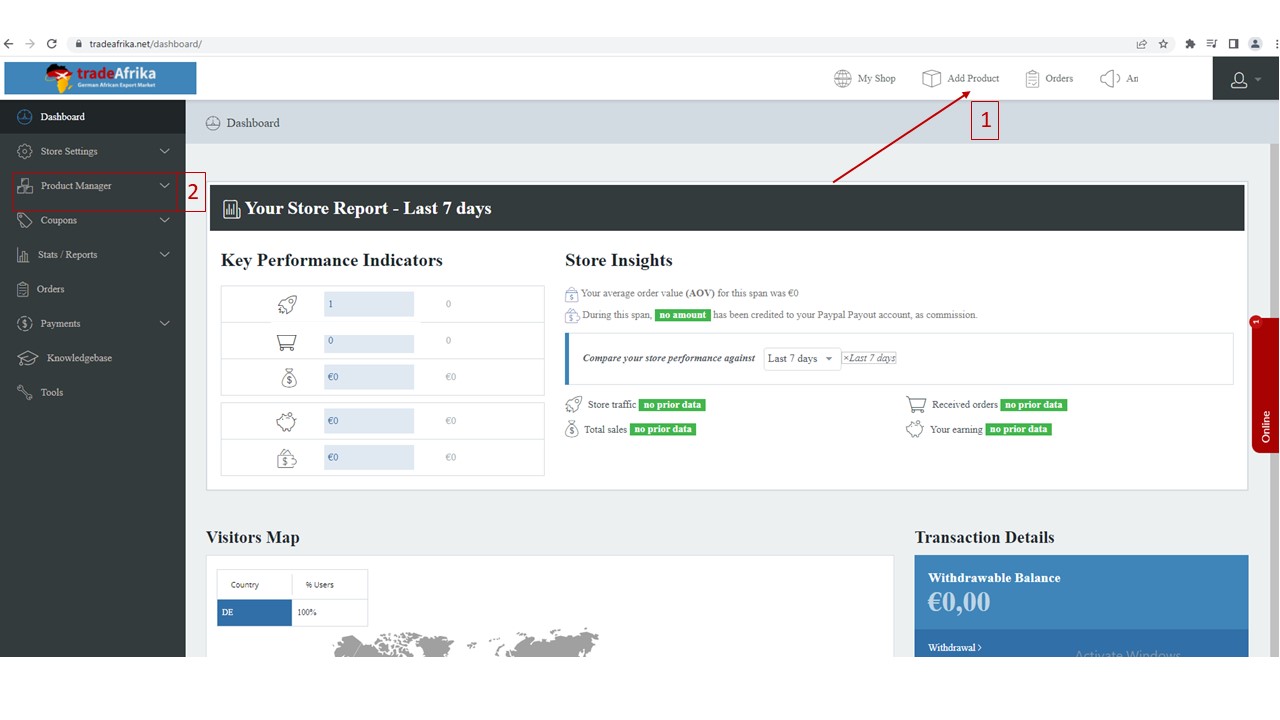
To add products, simply click on the "add product" from the tab.
To post an Ad, you need to subscribe to our premium packages.
If you have any other issues, please register here and submit a ticket.
Search Knowledge Base Articles
How to navigate to Vendor Dashboard
Did you find this article useful?
Related Articles
-
How to register on TradeAfrika?
To register as a TradeAfrika, follow the following steps. To do this, first register on the website by creating a free account at https://t... -
Required Product Images at Woo-commerce Shops
If you need assistance check our Store setup fees: https://tradeafrika.net/store-setup-fees/You can compress your images online for free via this lin...